
A voice agent that calls your leads and tells you which ones are worth your time
Load a file of leads, train the bot on what to say, and it makes the calls. After every call it rates the lead from 1 to 5, writes a summary and keeps the recording. Your team talks only to the people who are ready.
Open an account See how it worksYou train the bot yourself, in plain words. No code.
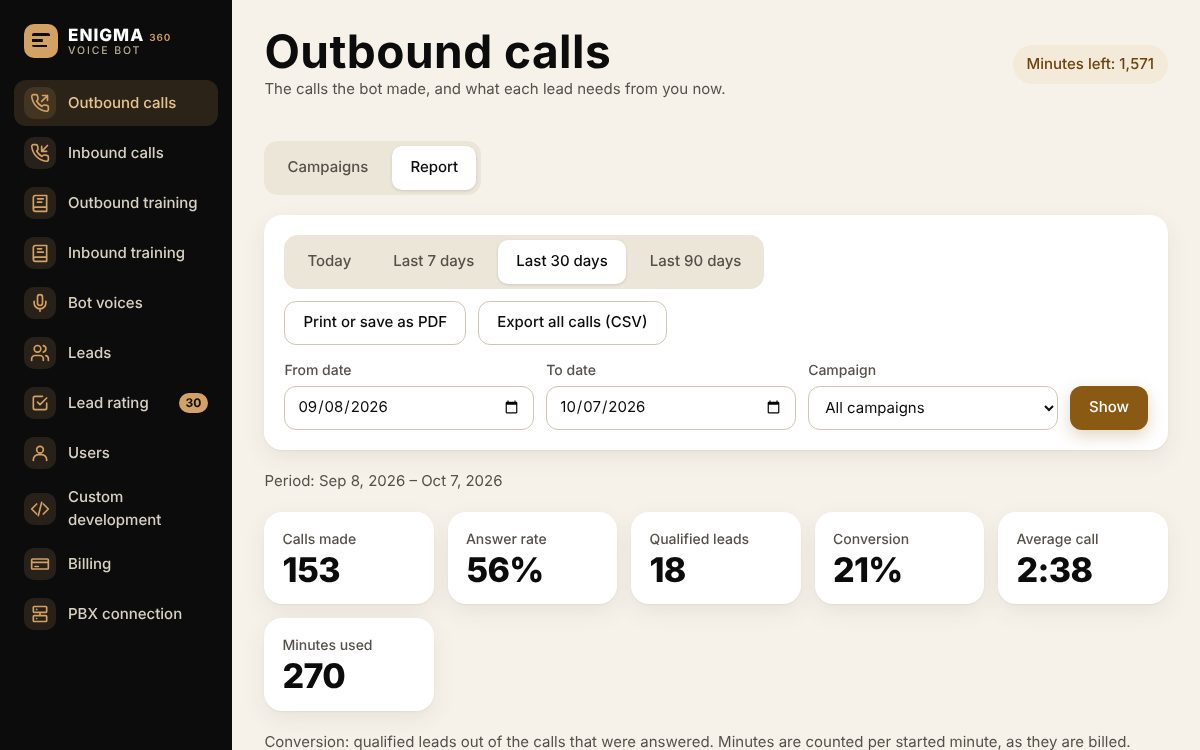
The outbound calls report in ENIGMA Voice Bot
Outbound: the bot works through your list
Choose a list, a bot and the hours it may call. The bot dials, talks, answers questions and objections the way you trained it, and moves on to the next lead. Leads that asked not to be called are always skipped.
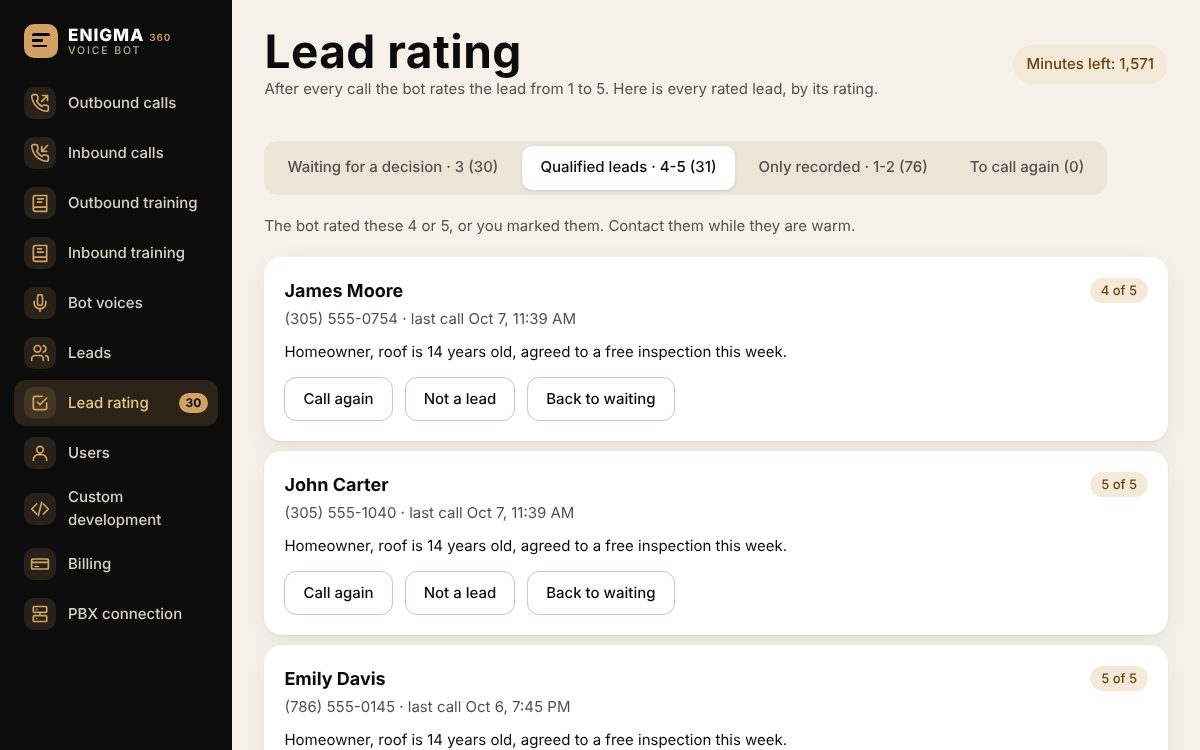
Every lead gets a score from 1 to 5
You write what makes a call a lead. The bot scores each person by it: 4 and 5 become qualified leads, 3 waits for a person to decide, 1 and 2 are only recorded. You see the summary, the transcript and the recording next to every score.
What is in the system
Outbound campaigns
A lead list, a bot, calling hours and the pace of dialing. Start, pause and continue whenever you want.
Inbound calls, day and night
The bot answers your number, gives information, takes details and transfers to a person when the caller asks for one.
Separate training for each direction
One training for the calls the bot makes and another for the calls it answers: opening line, script, questions and answers, and what it must never say.
Lead files with dates and use
Load Excel or CSV files. Every file is kept with the day it was loaded and how much of it was already called.
Reports you can hand over
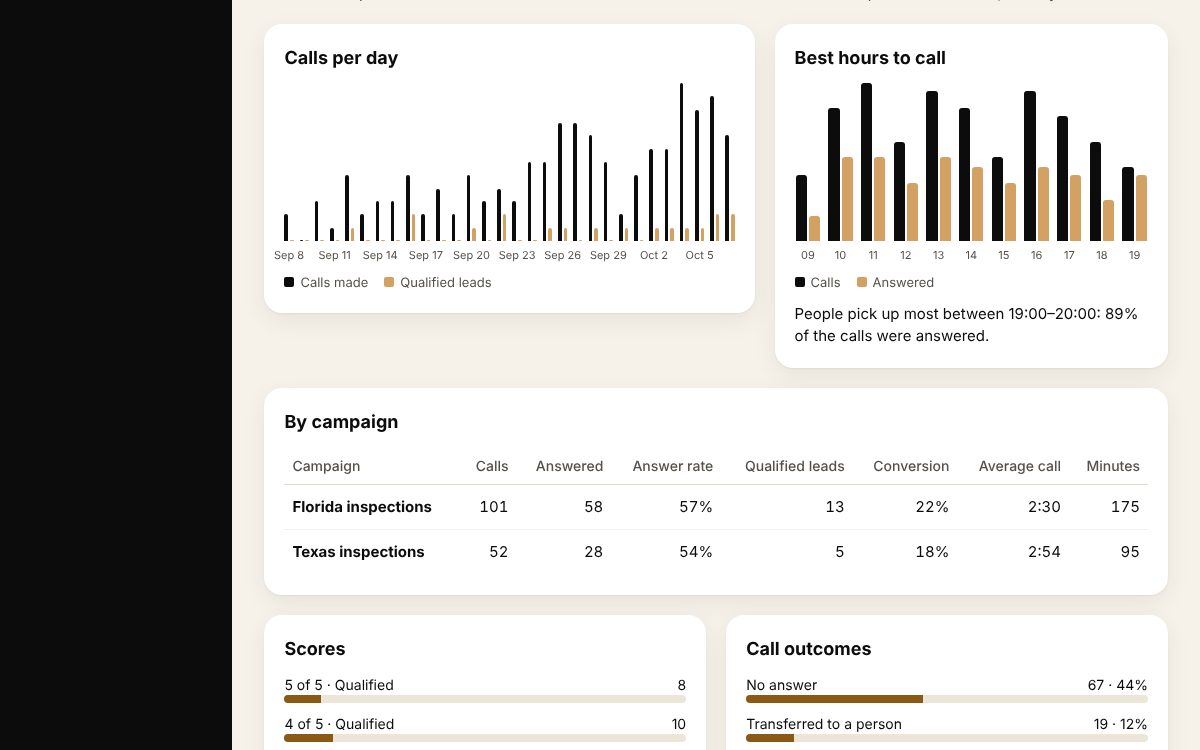
Any range of dates, by campaign, by bot and by hour of the day. Print it or save it as PDF, and export every call.
Recording and transcript of every call
Each call is documented: when, how long, the score, the outcome, the summary, the transcript and the recording.
A choice of voices
Pick the voice your callers hear, for each bot. A voice of your own can be built from a recording.
Your team, with roles
Owner, admin and agent. Agents see leads, lead rating and reports; managers also train the bot and run campaigns.
Works with your phone system
The bot can transfer a live call to an extension, a ring group or a phone number of your team.
From a file to qualified leads in four steps
Train the bot
Write what your business does, the opening line, the script and what makes a call a lead.
Load your leads
An Excel or CSV file with a phone column. Names and any other columns are kept with each lead.
Start the campaign
Set the calling hours and the pace, and press Start.
Work the qualified leads
Open Lead rating, read the summaries and call the people the bot scored 4 and 5.
Calling people responsibly
You are responsible for having the consent of the people on your list and for following the calling rules where they live, including calling hours and do-not-call lists. The system keeps calls inside the hours you set and never calls a lead marked "Do not call".
Pay for the minutes you use
Minutes are bought in packages. Calls the bot makes and calls it answers use the same minutes, counted per started minute.
Questions people ask before they start
Do callers know they are talking to a bot?
That is up to how you train it. We recommend an opening line that says so. In some places the law requires it.
Which languages does it speak?
English and Hebrew today. Another language can be added as a custom development.
What number do the calls come from?
We assign a phone number to your account. Outbound calls show it as the caller ID, and inbound calls to it are answered by the bot.
What happens with a lead the bot is not sure about?
It gets a score of 3 and waits in Lead rating for a person to read the summary and decide.
Can the bot transfer a call to a person?
Yes. You set where hot leads and callers who ask for a person are transferred: an extension, a ring group or a phone number.
How do I pay?
You order a package of minutes from inside the system and pay by bank transfer. The minutes are added when the payment is received.
Guides
- AI voice bot for business: what it is, how it works and who it fits
- Lead qualification calls: how to filter leads without wasting your sales team's time
- Lead scoring from 1 to 5: a simple method any sales team can use
- AI receptionist for small business: a virtual assistant that answers every call
- How to write a script for a voice bot: opening, questions, objections
- The best time to call leads: how to find the hours when people pick up
- The rules of automated calling: what to know before outbound calls with an AI voice bot
- WhatsApp bot for business: what it does, when it helps and when it gets in the way
- WhatsApp campaigns without getting blocked: the rules that protect your number
- CRM for small business: what you really need, and what only complicates things
- What an AI voice bot costs: what the price is made of and how to work out if it pays